Skip to content
PlayDepth

For football coaches and analysts

Football tactical analysis, on your own computer.

Frame-by-frame video, tactical drawings that follow the players, automatic match statistics and an automatic camera that turns a panoramic recording into a directed video. No accounts, and your videos are never uploaded anywhere.

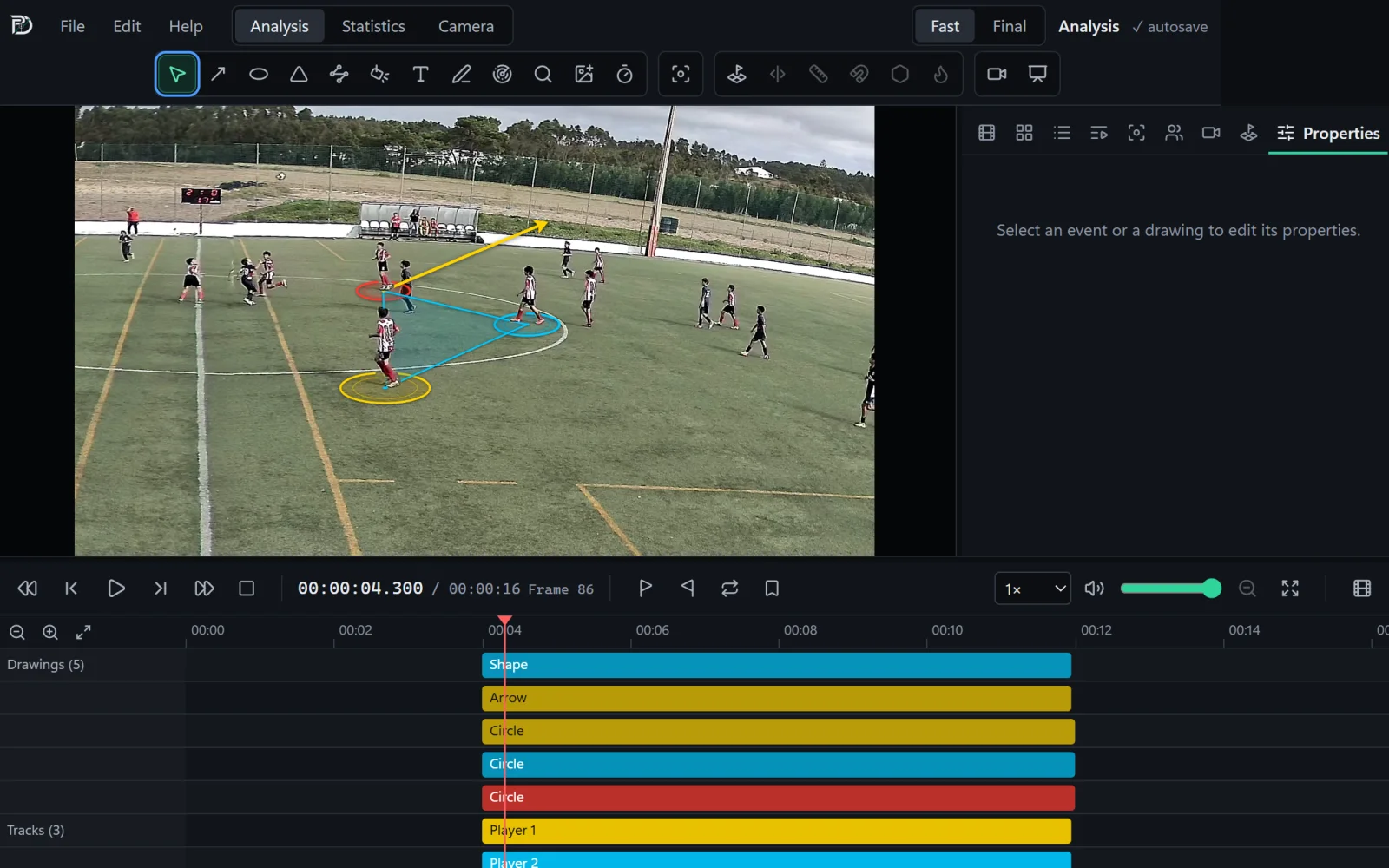
PlayDepth’s Video Analysis: a match situation with three tracked players, tactical drawings on the pitch and the timeline with the drawings and the tracks.

Features

Three tools, one application.

From recording the match to the team meeting: direct the video, count the match and prepare the clips to show.

Video analysis

  • Frame-by-frame playback, zoom, markers and a timeline of tagged events.
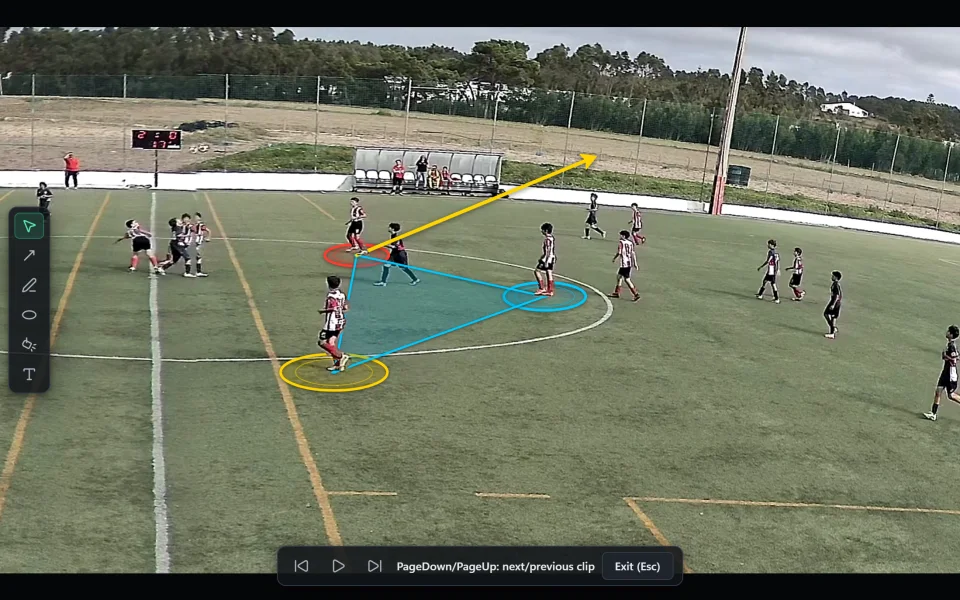
  • Arrows, zones, defensive lines, a magnifier and drawings laid flat on the pitch in perspective.
  • One-click player tracking, with drawings that follow the players.
  • Measurements on the pitch: distances, free space, team shape and areas of superiority.
  • Export clips and playlists as video, drawings included.
Tactical drawings laid flat on the pitch, attached to the tracked players.

Automatic statistics

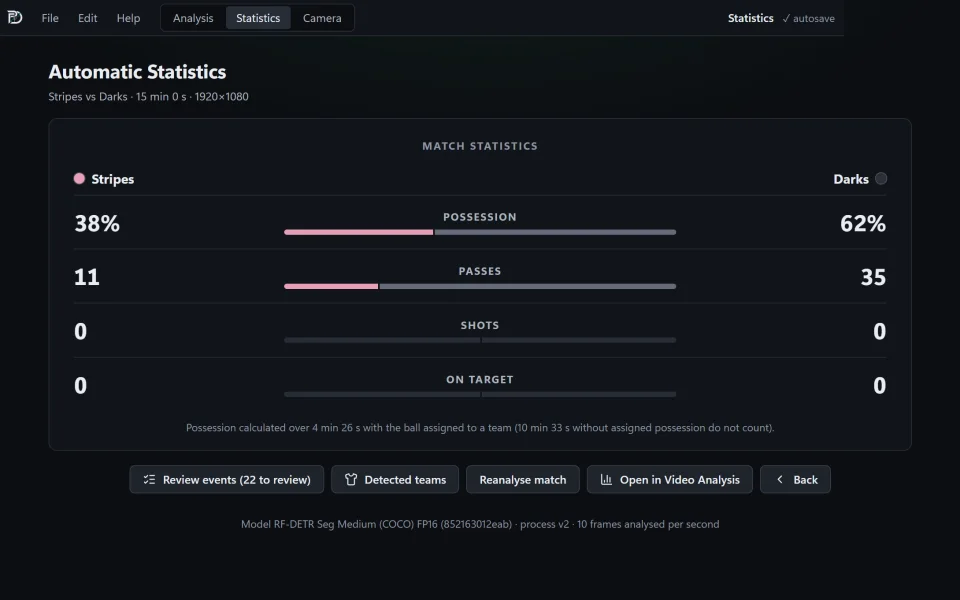
  • Possession, completed passes and shots for a whole match, worked out by the application.
  • Teams are recognised by their kit colours, striped shirts included.
  • Every event links to its moment in the video: review it, correct it or add what is missing.
  • Totals per team — possession, passes, shots and shots on target — saved in the project.
Automatic statistics for a match: possession, passes, shots and shots on target per team, with the button to review the events.

Automatic camera

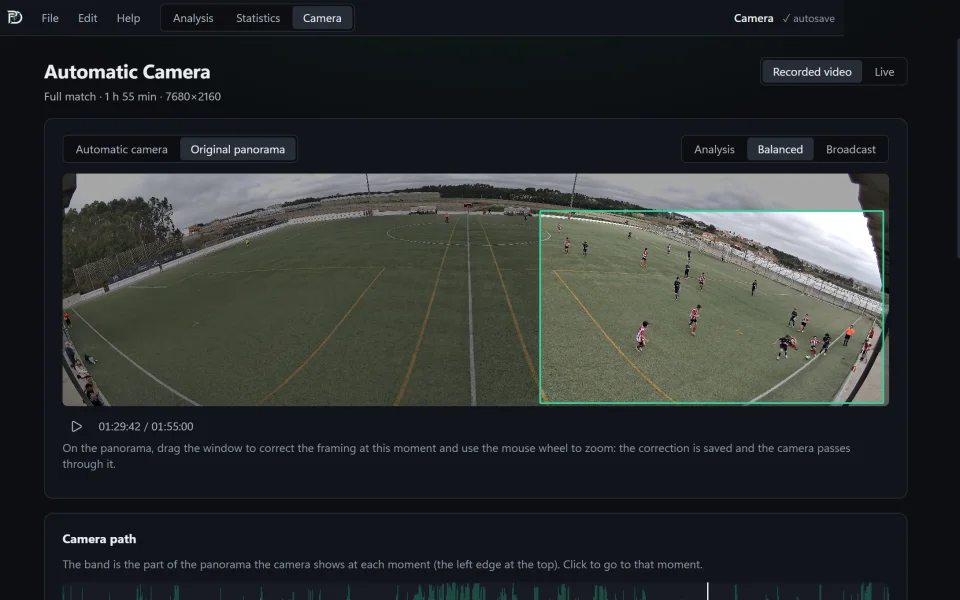
  • Turns the recording from a panoramic camera on the halfway line into a directed video.
  • The virtual camera follows the ball with smooth movements, in three styles.
  • Correct any moment by dragging the framing; the rest of the match stays as it was.
  • Export the whole match in 1080p, with sound.
The Automatic Camera: the panorama of the whole pitch and the framing chosen by the virtual camera.

Privacy

Your videos stay with you.

The artificial intelligence runs on your computer’s graphics card. Nothing is sent to the cloud to be analysed.

No uploads

Player and ball detection, statistics and directing all happen on your computer.

No accounts

No sign-up and no sign-in. Projects are your own files, in the folders you choose.

No telemetry

The application collects no usage data and works without an internet connection.

Requirements

What you need.

System
Windows 10 (version 1809 or later) or Windows 11, 64-bit.
Memory
8 GB; 16 GB recommended.
Graphics card
NVIDIA with 4 GB or more, recommended for the artificial intelligence and the automatic camera. Without one, everything runs on the processor, more slowly.
Disk space
About 3 GB for the application, plus space for your videos.
Videos
The usual formats (MP4, MOV, MKV, AVI…), including 8K panoramas and variable frame rate.
Internet
Not needed to work. Only to install and update.

Download

Get PlayDepth.

The Windows version comes from the Microsoft Store, which installs it and keeps it up to date.

Windows

Windows 10 and 11, 64-bit. Installed and updated through the Microsoft Store.

Coming soon to the Microsoft Store

Mac

A macOS version is in preparation.

In preparation

FAQ

Frequently asked questions.

Do I need an internet connection to use PlayDepth?

No. Analysis, statistics and the automatic camera all work offline. The connection is only used to install and update the application, or when you stream a match live.

What camera do I need for the automatic camera?

A panoramic recording of the whole pitch, filmed from a fixed point on the halfway line — for example, a dual-lens camera that stitches its images into a panorama. The application chooses the framing at every moment and exports the directed video.

Does it work on a computer without an NVIDIA graphics card?

Yes. Without an NVIDIA card, the artificial intelligence runs on the processor: everything works, but tracking, statistics and the automatic camera take considerably longer.

How accurate are the automatic statistics?

The application works out possession, passes and shots from the video, and the quality depends on what can be seen in it: a small, distant ball is not always found. Every event takes you to its moment in the video, so you can review and correct it before using the numbers. Shots are still often missed.

Where are my projects stored?

In a project file, in the folder you choose, on your computer. Your original videos are never modified: exports create new files.